EPR Fireworks Mobile Responder Apps

Firefighter and Fire Rescue Apps for Fire and EMS

Bring response information and field documentation to the devices your crews use. EPR Fireworks mobile apps help fire and EMS teams receive dispatch alerts, find incident locations, access pre-plans and document work in the field.
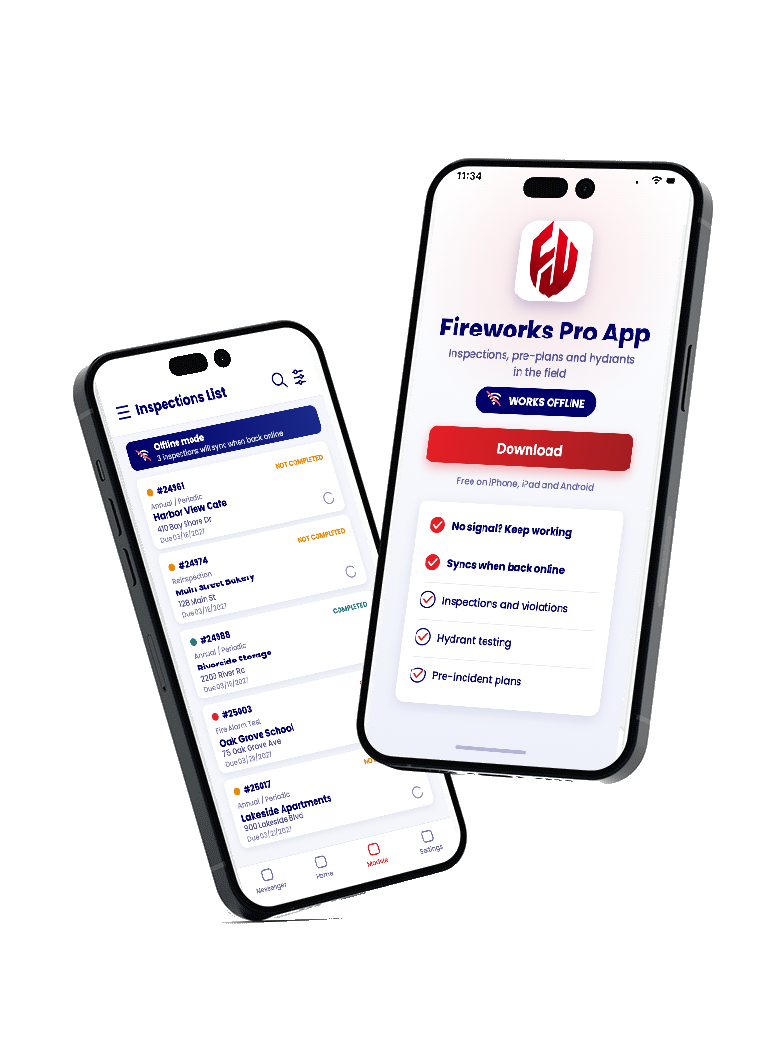
Fireworks Pro App inspections list and download screen on two phones
The Right App for the Work

Your Data, Your Way,Anywhere.

What is a mobile responder app?

A mobile responder app gives fire and EMS personnel access to operational information and documentation tools from a phone or tablet. EPR Fireworks supports incident response through the Response App and field inspections, hydrants and pre-plans through the Pro App, connecting mobile work with department records.

Use the Fireworks Response App for response and on-scene documentation. Use Fireworks Pro App for inspections, hydrant testing and pre-incident planning.

Choose the app that fits the work in front of you.

Response App · On Every CallPro App · In the Field
Fireworks Response App

A fire rescue app for dispatch and on-scene response

The Fireworks Response App puts call information, mapping and documentation tools within reach of responding crews. From the initial alert through on-scene updates, teams can use the app to access incident information and record their work.

Receive dispatch alerts on your device

Receive dispatch messages directly on a mobile device. CAD integration connects the Response App with dispatch systems so crews can access call information through the response workflow.

Bring maps, pre-plans and hydrant locations together

Use maps and turn-by-turn routing to find incident locations. Access pre-plan information and hydrant locations as part of the response workflow, keeping relevant property and water-source information close at hand.

Update unit status from the field

Record unit status changes such as On Scene and Completed. The Response App also supports automatic vehicle location (AVL) tracking and geofencing for response coordination.

Start patient care documentation on scene

Start an electronic patient care report (ePCR) from the Response App. Capture patient information with a driver's license scan and document medications and procedures while working on scene.

For fire incident documentation, the Response App also includes NERIS support.

Download Fireworks Response App
Fireworks Pro App · Works Offline

Handle inspections and pre-plans with Fireworks Pro App

Fire prevention and field preparation require a different set of tools. Fireworks Pro App helps inspectors, fire marshals, community risk reduction teams and crews capture information where the work happens.

  • Conduct and document inspections, issue violations and generate digital reports.
  • Use customizable checklists with automatic NFPA and ICC code references.
  • Create custom forms for burn permits, hydrant testing and pre-incident planning.
  • Access inspection history, personnel files, certifications and inventory.
New
AI Inspections in the Pro App →

Snap a photo during the inspection and the Pro App flags anything that needs validation before the report is final.

Designed for phones and small devices, the Pro App gives field personnel a practical way to work with department records away from a workstation.
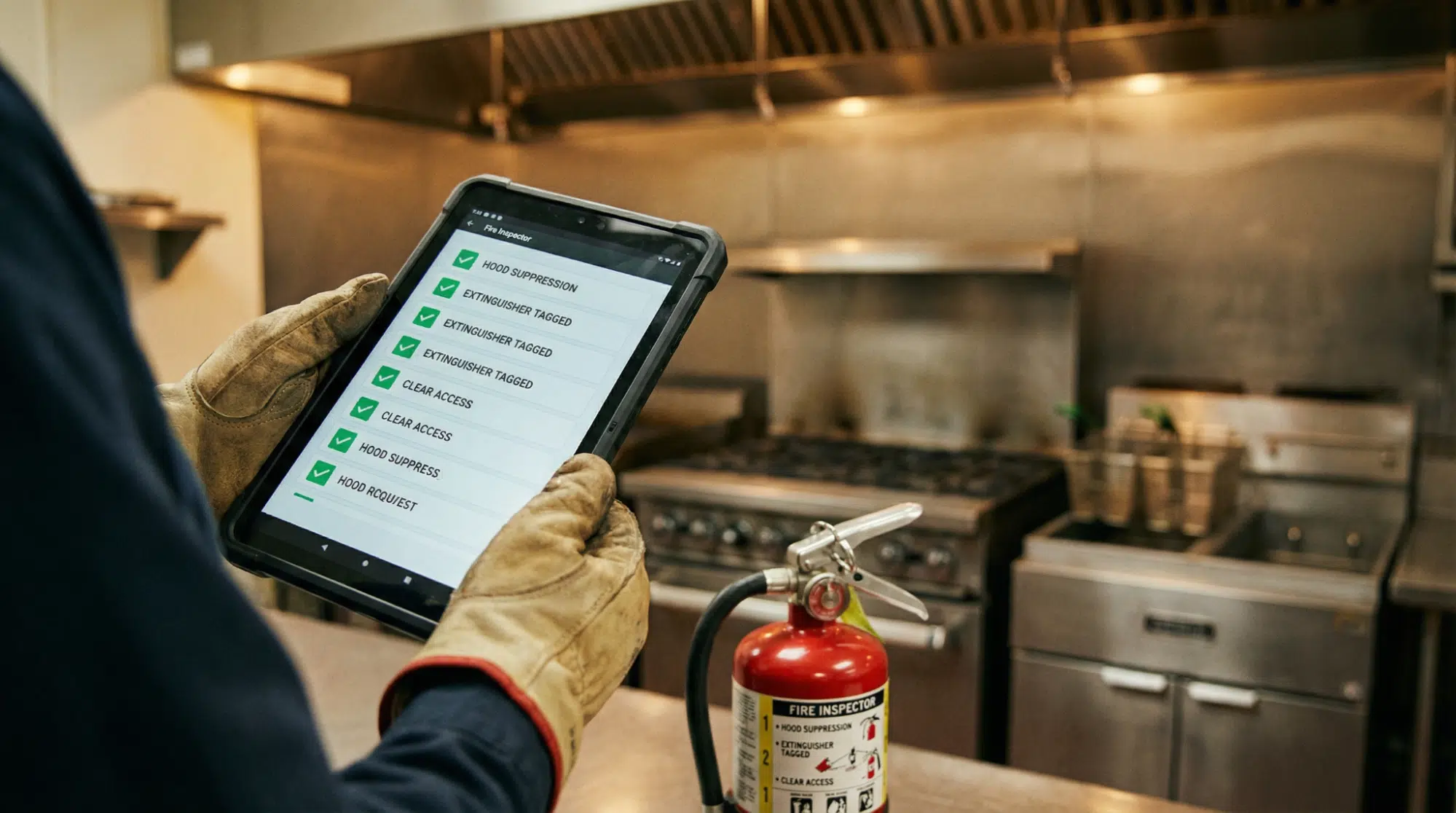
Inspector working through a field checklist on a tablet with the Fireworks Pro App
Fireworks Pro App inspections list on a phone

Compare the Fireworks mobile apps

Start with the work your team needs to complete, then match it to the app built for it.

Your workflowApp to exploreWhat it supports
Dispatch and incident responseResponse AppDevice alerts, maps, routing, pre-plan access and unit status updates
Patient care on sceneResponse AppStarting an ePCR, license scanning, medications and procedures
Inspections and field preparationPro AppInspection reports, violations, custom forms, hydrant testing and pre-plans
Offline Workflows

Keep field work moving when connectivity changes

The Response App and Pro App support offline work and data synchronization after connectivity returns.

Response App

With the Response App, crews can create ePCRs and view incident information offline.

Pro App

The Pro App supports offline field work with synchronization when back online.

Plan deployment around the information your crews need offline and the features that require a live connection. EPR can help your department review offline workflows, synchronization steps and device requirements.

Find the right app for your department's devices

The Response App and Pro App have listings for iPhone and iPad in the Apple App Store and for Android in Google Play. On Apple devices, the Response App is listed as Fireworks Response App Lite; on Google Play, it is Fireworks Response App. The Pro App is listed as Fireworks Pro App.

The store downloads are free. Contact EPR to confirm software licensing, enabled modules, supported devices and setup for your department.

Your Questions, Answered

Firefighter and fire rescue app FAQs

What is a fire fighter app?

A fire fighter app, also called a firefighter app, is mobile software that supports fire service work. EPR Fireworks offers a Response App for dispatch alerts, mapping and on-scene documentation, plus a Pro App for inspections, hydrants and pre-incident planning.

What can the EPR Fireworks fire rescue app do?

The Fireworks Response App supports dispatch alerts, maps, turn-by-turn routing, pre-plan information, hydrant locations and unit status updates. Crews can also start an ePCR and document patient care on scene. CAD integration, AVL tracking and geofencing support the response workflow.

What is the difference between the Response App and Pro App?

The Response App focuses on incident response and on-scene documentation. The Pro App focuses on inspections, violations, custom forms, hydrant testing, pre-incident planning and access to department records. The right choice depends on the work your team needs to complete.

Do the Fireworks apps work offline?

Yes. Both apps support offline work and synchronization after connectivity returns. The Response App supports creating ePCRs and viewing incident information offline. Ask EPR which information is available offline in your configuration and how your team should complete synchronization.

Are the Fireworks apps available for iPhone, iPad and Android?

Both the Response App and Pro App have Apple App Store and Google Play listings. Check the current listing and confirm your device and operating-system requirements with EPR before deployment.

Can crews see hydrant locations and pre-plans?

Yes. The Response App includes pre-plan information and hydrant locations in its mapping and response workflow. The Pro App supports custom forms for hydrant testing and pre-incident planning.

Does the Response App connect with CAD?

The Response App supports integration with CAD systems. EPR can review your dispatch environment and confirm the integration requirements and supported workflows for your department.

Can crews start an ePCR from the Response App?

Yes. Crews can start an ePCR, scan a driver's license for patient information, and document medications and procedures from the Response App. EPR can demonstrate how this fits your department's patient care reporting workflow.

Are the Fireworks mobile apps free?

The app-store downloads are free. Contact EPR for software licensing, module access and deployment information. A free download does not establish the price of your department's software service.

How can our department evaluate the apps?

Schedule a demo with EPR to review the Response App and Pro App against your department's workflows. Include your device types, CAD environment, offline requirements and reporting needs so the conversation addresses your field operations.

Schedule a Demo

See how Fireworks fits your field workflows

Walk through the Response App and Pro App with EPR. Bring your questions about dispatch integration, field inspections, pre-plans, offline work and patient care documentation, and see which workflows fit your team.

cookie preferences

Sharing your cookies helps us enhance site functionality and optimize your browsing experience.
Click here to read our Cookie Policy. Manage Settings