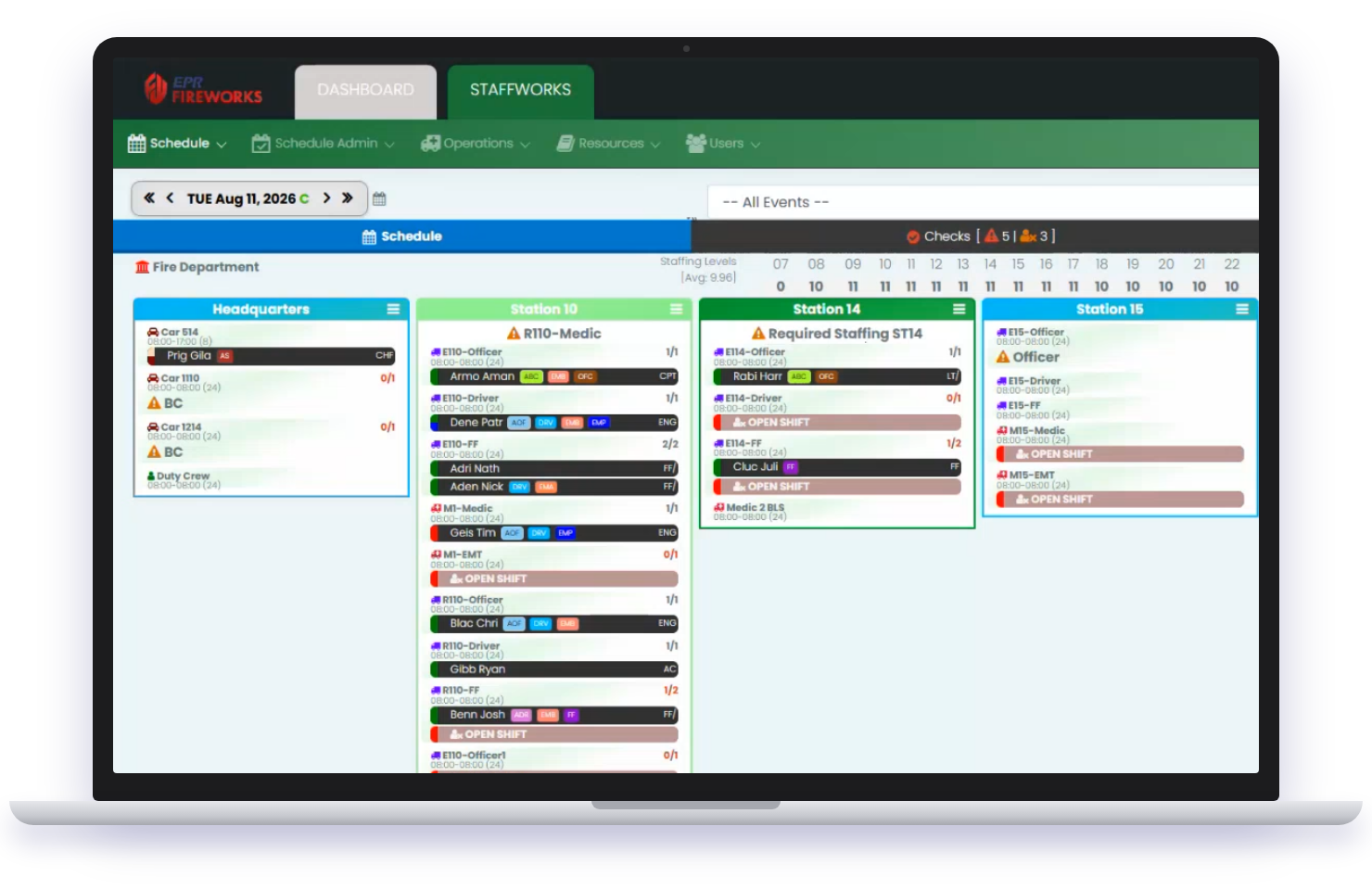
Fire Department Scheduling Software
Manage complex shift schedules, staffing rules, time tracking, and everyday workforce operations in one system built for Fire & EMS.
Fire & EMS Staffing Is Anything but Standard.
Different shift patterns, minimum staffing requirements, qualifications, overtime rules, volunteers, part-time personnel, and department-specific policies all have to work together.
EPR Fireworks Workforce & Scheduling manages not just the schedule, but the rules behind it, for career, volunteer, and combination departments. Add Clock In / Clock Out, forms, call lists, and payroll integrations as you need them.
Backed by a support team that includes people who've worked in Fire & EMS.
Your shifts. Your rules. Support from people who've been there.
Features and Benefits of Scheduling Software
Fill shifts, manage swaps, and keep overtime in check without the texts, calls, and spreadsheets.

Clock In. Clock Out. Keep Time Connected.
Personnel clock in from the mobile app, with GPS or station location checks, or from a station computer.
Reason codes like a holdover carry through to the right pay code, and supervisors can be alerted to late punches.
Less manual timekeeping. A clearer picture of hours.
Reach the Right People Faster.
When you need personnel, you shouldn’t have to work through a spreadsheet one call at a time.
Build call lists for open staffing, callbacks, and department-specific needs, then notify people all at once or one at a time in the order you set.
Spend less time finding people. Get positions covered faster.
Take Department Paperwork Digital.
Move everyday requests and documentation out of paper, PDFs, and spreadsheets. Build digital forms for the information your department collects, and route them for approval.
Collect it. Track it. Keep it together.
Exposure Tracking & Risk Monitoring
Document firefighter exposure to hazardous materials, track health data, and support early detection of risks.

Payroll & Volunteer Contribution Tracking
Automate payroll with pay-per-call tracking, overtime calculations, and FLSA compliance. Accurately track volunteer hours and contributions, ensuring they receive proper recognition and incentives for their dedication.
Schedule to payroll. One system, built for Fire & EMS.
Take the Headaches Out of Fire & EMS Scheduling
Fill shifts, manage swaps, and keep overtime in check without the texts, calls, and spreadsheets.
Fill open shifts faster.
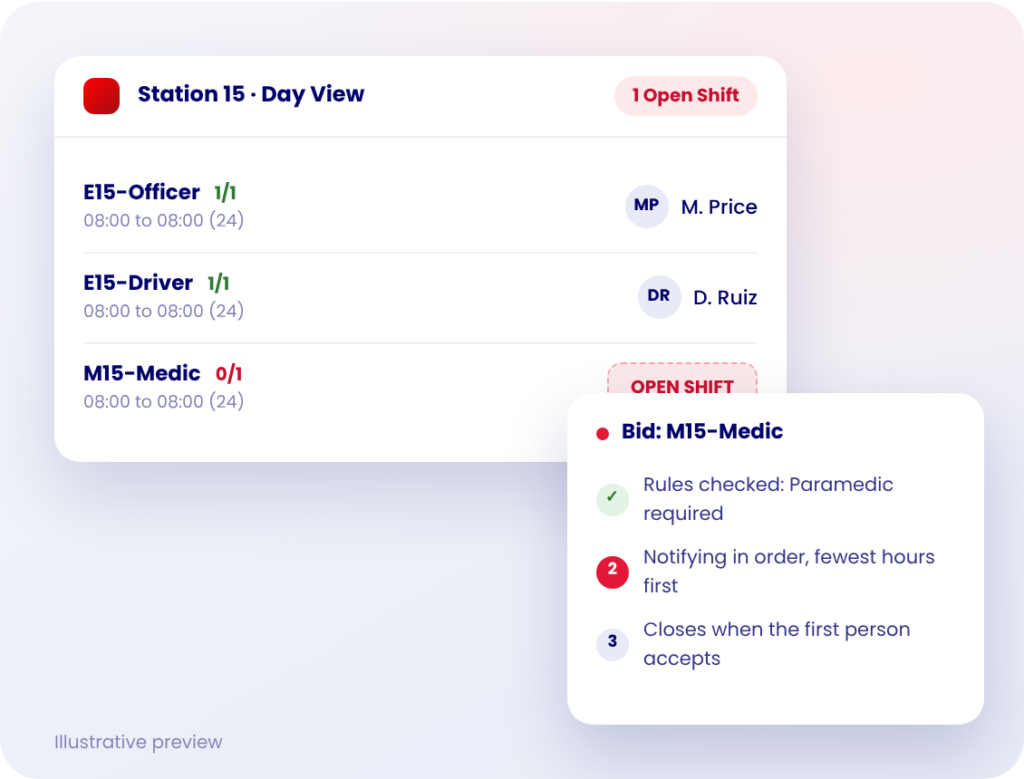
See open positions as soon as they appear, and give eligible personnel an easy way to pick up or bid on available shifts.
Staffing changes stay connected to the live schedule instead of scattered across texts, calls, and spreadsheets.
Make shift swaps easier.
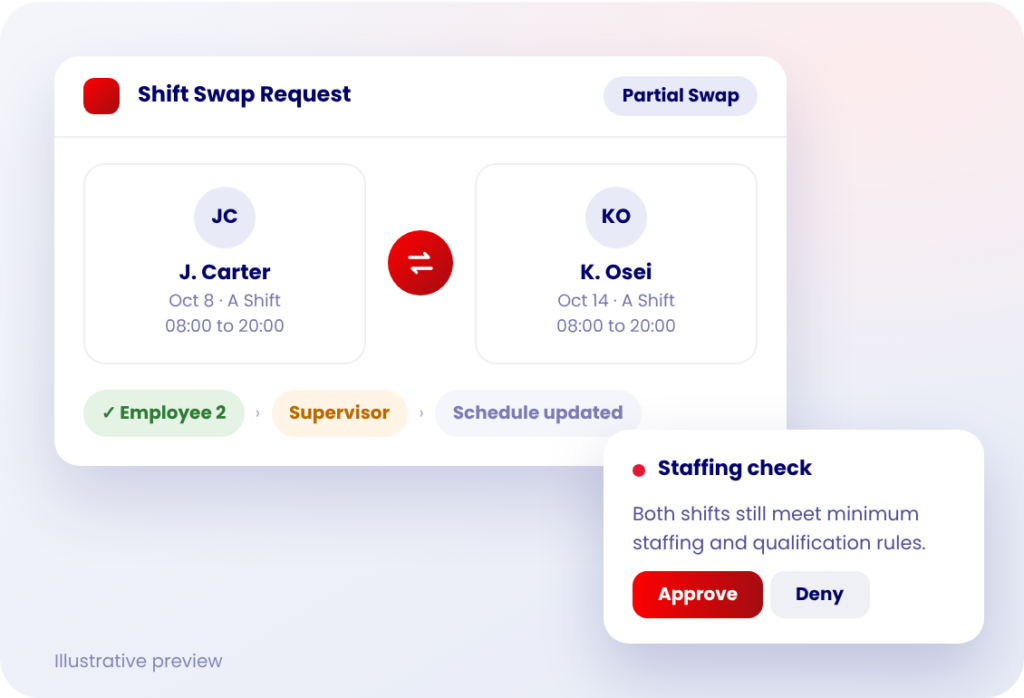
Give personnel a structured way to request full or partial shift swaps and giveaways, with your department’s rules and approvals built in.
Administrators stay in control without coordinating every schedule change by hand.
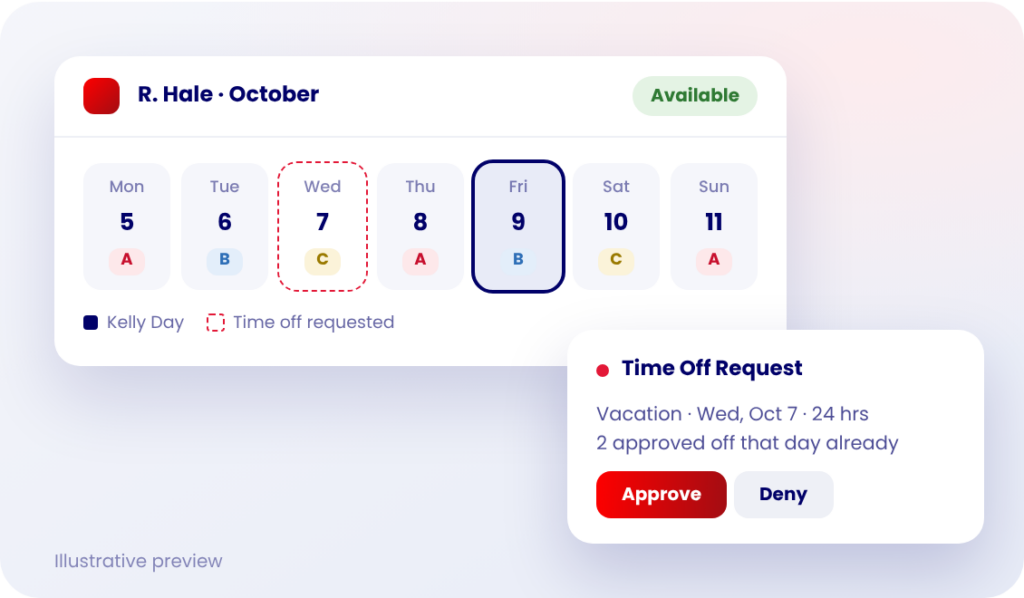
Know who’s available.
Manage availability, time off, leave, and staffing details alongside the schedule.
See who’s available before a staffing need becomes a staffing problem.
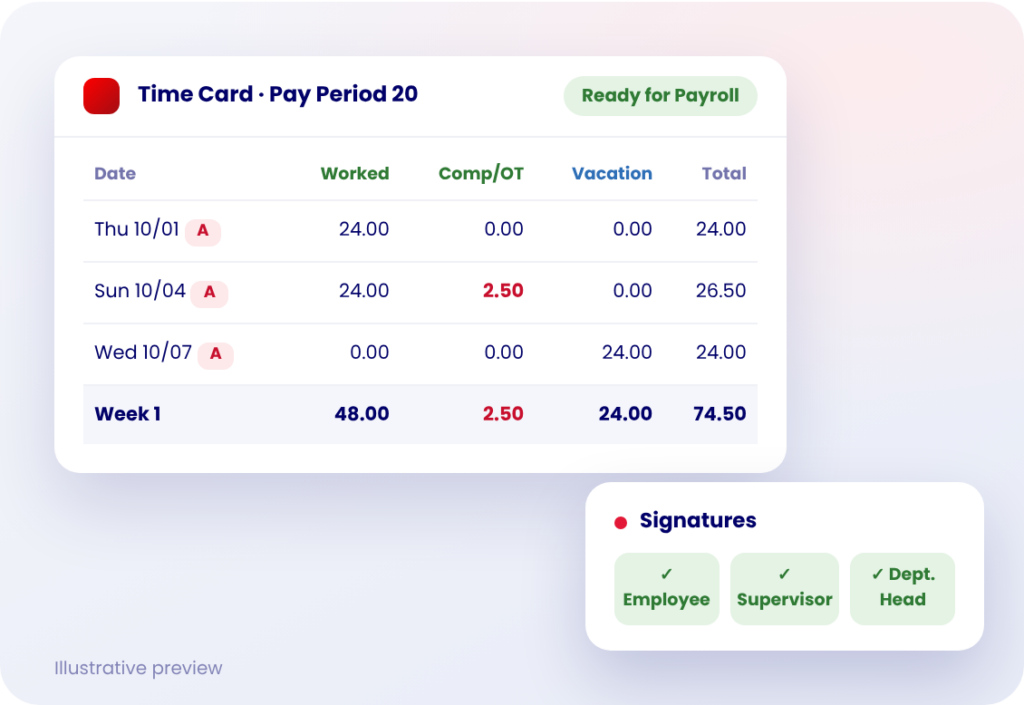
Keep overtime and payroll connected.
Track time, overtime, pay-per-call activity, and time cards alongside your schedule.
Fewer manual calculations, and more of what payroll needs in one place.
Leaders Like You Trust FireWorks
From volunteer participation tracking to payroll, incident reporting, and more"
Fire Chief Victor Voss
Amherst Fire District
Unmatched customer support and responsiveness despite a rushed rollout."
Jamie Burgaster
EMS Coordinator at New Philadelphia Fire Department (OH)
I’m Not Techy – But This Just Works"
Alicia Russell
Rapides Parish Fire District 2 (LA)
Fire Department Scheduling Software FAQs
What is fire department scheduling software?
Fire department scheduling software helps Fire & EMS agencies manage shift schedules, open positions, availability, shift swaps, time off, and overtime in one system. Instead of spreadsheets, group texts, and phone trees, staffing changes happen on the live schedule, with your department's staffing rules built in.
Can EPR Fireworks support 24/48, 48/96, Kelly Day, and other fire department schedules?
Yes. Departments can set up 24/48, 48/96, A/B/C, A/B/C/D, 12-hour, and custom rotation patterns. Kelly Days can be granted automatically based on your rotation.
How does EPR Fireworks help fill open shifts?
Personnel can request open shifts from the app or website. Administrators can also create a bid that notifies everyone at once, or one person at a time in an order you set, such as fewest hours first.
A bid can close automatically when the first person accepts, or stay open so an administrator can choose. Rest periods and position requirements are checked before a shift is assigned.
Does the software enforce minimum staffing and qualification rules?
Yes. Each position can require a specific qualification, skill level, rank, or role. You can also set rules across a crew, such as requiring at least one paramedic. Positions that fall below minimum staffing are flagged on the schedule.
Can firefighters manage shift swaps?
Yes. Personnel can request full or partial shift swaps and giveaways. The second employee approves the swap, then it goes to administration. You decide whether one supervisor or both employees' supervisors need to approve.
Can personnel request time off and manage their availability?
Yes. Personnel can submit time off requests and share when they're available to work. Leave categories can deduct from leave balances or not, and some can be limited to administrators.
When reviewing a request, approvers can see who else is already off that day before they decide.
Is there a mobile app for firefighters and EMS personnel?
Yes. Personnel can view the schedule, request open shifts and time off, and clock in from the app. Schedule changes can be sent by app notification, email, or text, and schedules can sync to Google Calendar.
How does EPR Fireworks handle time cards, overtime, and payroll?
Time cards can be built from the schedule or from actual clock-in and clock-out times. Pay periods and overtime periods are set separately, so you can print a two-week time card while calculating overtime on a longer cycle, such as 28 days.
Time cards support up to three signatures and can be locked once they're approved.
Can EPR Fireworks support volunteer and combination fire departments?
Yes. The system supports career, volunteer, and combination departments. Smaller departments can let personnel be assigned to an open shift immediately, and auto staffing can spread available shifts across personnel as fairly as possible, up to the hour limits you set.
Does Workforce & Scheduling connect with other EPR Fireworks solutions?
Yes. Workforce & Scheduling is part of the EPR Fireworks platform and opens with single sign-on, so personnel use the same environment they use for incident reporting, ePCR, training, and other Fire & EMS workflows.
Bring Your Toughest Schedule. We'll Show You How It Works.
Walk through your shift patterns, staffing rules, and payroll needs with a team that includes people who’ve worked in Fire & EMS.
Free 30-minute call. No obligation. We’ll reach out within 1 business day.