Incident Command Software, Built Into Your RMS
Run the scene. Capture the record.
A live command board that opens from the incident you’re already on, pulls units from CAD, and writes what happened on scene into the incident report.
Free 30-minute call. No obligation.
Why Fireworks for Incident Command
Command Starts Where the Incident Starts
Incident command shouldn’t start with setting up another system. Fireworks Incident Command opens right from the incident you’re already on.
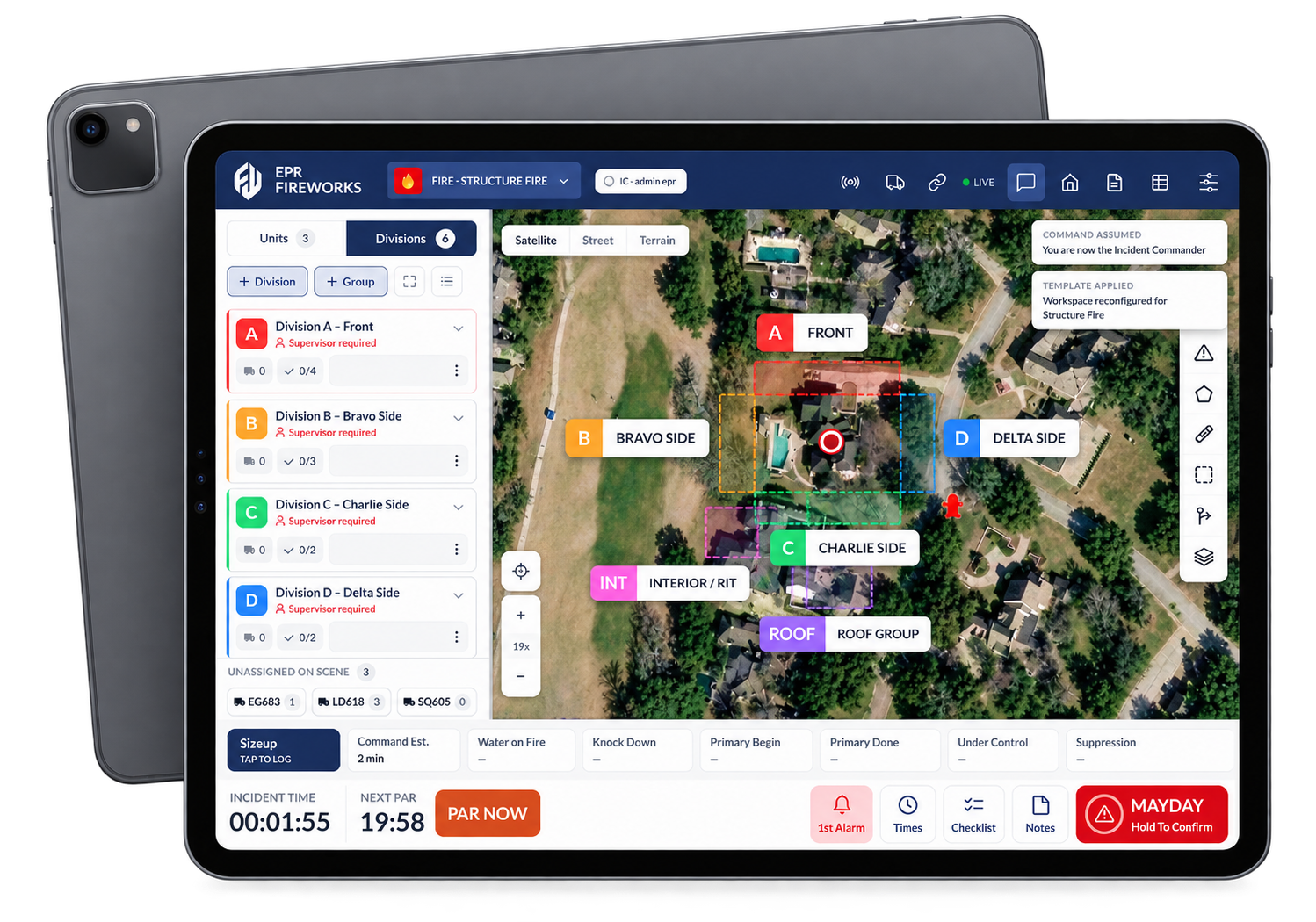
Tap Take Command and your board is ready, set up for the call type with divisions, groups and checklists. Assign units, work through checklists, run a PAR, and mark hazards and staging on one live map.
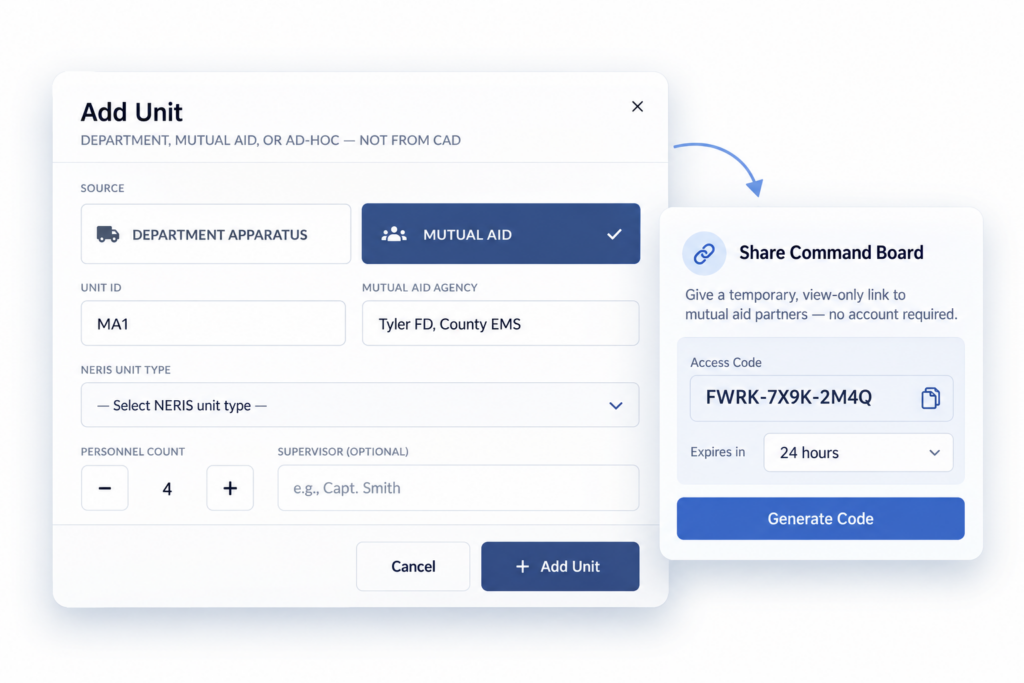
Because it’s built into Fireworks, your CAD units, timestamps and incident record stay connected. Bring mutual aid onto your board with a time-limited code, no Fireworks account needed. And one support team, including people who’ve worked in Fire and EMS, backs it all.
One incident. One record.
Watch Command Works Run a Scene
Live Webinar · November 10 at 12:30 PM ET
Run the scene. Capture the record. See Command Works live.
Take Command, run a PAR, bring in mutual aid and print your ICS 214, all from the incident you're already on.
What Incident Command Gives You
Command, Accountability and the Record, on One Board
Know Who’s Assigned, Not Just Who’s On Scene
See divisions and groups on one board, so command always knows where every unit stands.
Accountability, Right From the Board
PAR NOW and MAYDAY sit on the board’s bottom bar, and every PAR is logged.
See the Whole Fireground on One Map
Hydrants, pre-plans, hazards, staging and landing zones on your Esri layers, with distance and area measurements.
Benchmarks, Written to the Report
Log a benchmark with one tap. At Complete Command, timestamps, tactical actions and rehab go into the incident report, without overwriting what your records officer entered.
Paperwork Done Before You Leave
Print the ICS 214, ICS 201 and an After-Action Report from the same incident.
Built for the Tablet in the Rig
Touch Mode for gloved hands, the board in columns or rows, and offline mode that syncs when you reconnect.
Incident Command Software Features and Benefits
Responding Units Populate Automatically
Open Incident Command on an active incident report. Responding units populate from your CAD feed automatically, so nobody’s re-typing unit numbers on scene. Missing a unit? Add a department, mutual aid or ad-hoc unit that CAD didn’t send.
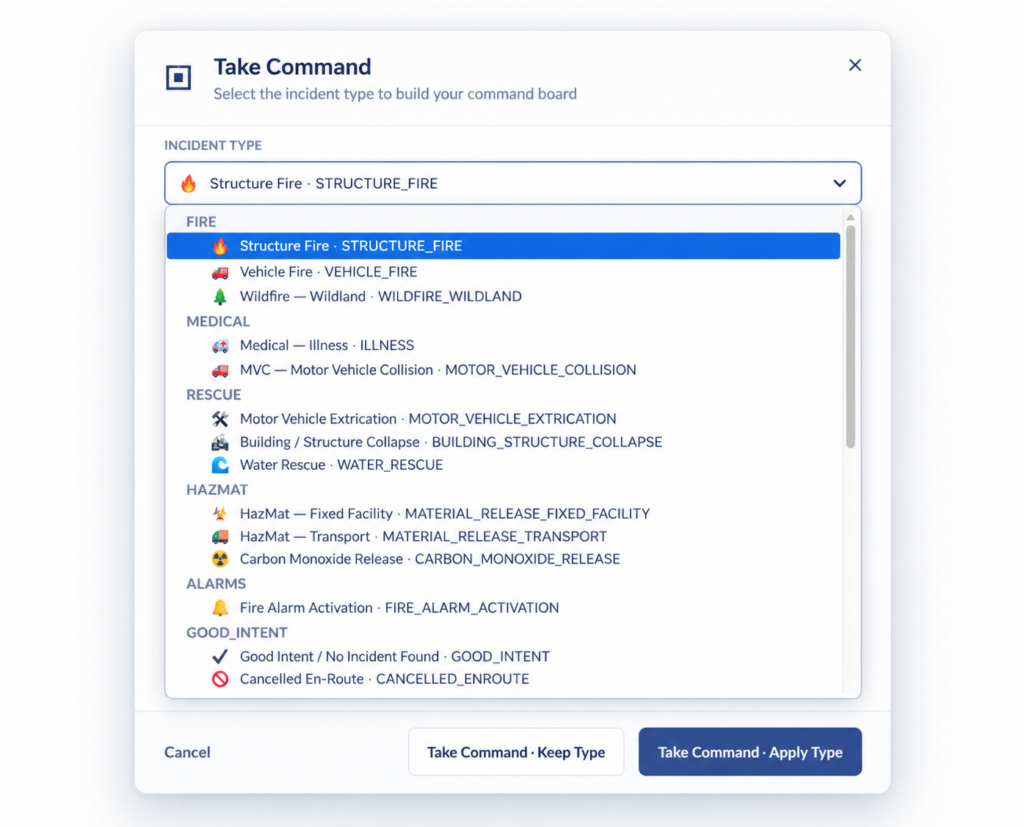
Start With the Command Structure Already Built
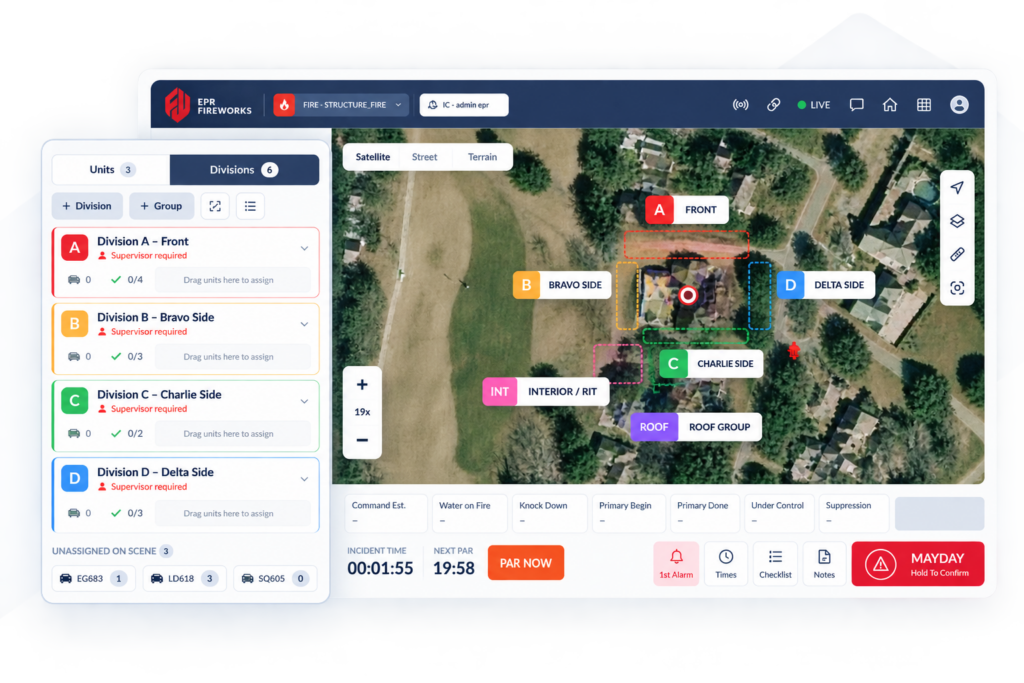
Tap “Take Command” and the board sets up for the call type.
A structure fire starts with divisions, groups and checklists already in place, so the IC isn’t building structure under pressure.
PAR and Mayday, right from the board. Run a PAR or declare a Mayday from the board’s bottom bar, and transfer command from the header. Every PAR, answered or not, is logged.
Bring Mutual Aid Onto Your Board
Generate a time-limited code (4, 8, 12 or 24 hours). Responder access lets a guest unit report and message Command; View only lets them watch. No Fireworks account needed, whatever software they run.
The ICS 214, printed for you. Incident Command prints the ICS 214 Activity Log in the FEMA layout, with every PAR and benchmark on it, plus an ICS 201 Incident Briefing and an After-Action Report.
You don't need a second system to command an incident.
Departments running a standalone command tool keep the scene in one system and the report in another, and call two different support lines when something goes wrong. Incident Command puts the board inside the system you're already reporting from, backed by the same EPR Fireworks support team.
Running Standalone Command Software
- Second login, second app to open on scene
- Unit and incident data kept in two systems
- Command timeline lives outside the incident report
- Mutual aid needs its own account or workaround
- Activity log rebuilt by hand for the ICS 214
- Support tickets split across two vendors
Incident Command in Fireworks
- One app. Open it from the incident you're already on
- Units populate automatically from CAD
- Benchmarks, tactical actions and rehab write to the report at Complete Command
- Mutual aid joins with a time-limited code, no account needed
- The ICS 214 prints from the same record
- One support team, already familiar with your whole platform
Incident Command Software FAQs
Is Incident Command included with EPR Incidents?
No. Incident Command is a separate add-on module, not part of base Incidents pricing. Schedule a call and we’ll walk through pricing for your department.
Does Incident Command produce an ICS 214?
Yes. It prints the ICS 214 Activity Log in the FEMA layout, with every PAR, checklist timestamp, benchmark and Mayday on it. You can also print an ICS 201 Incident Briefing and an After-Action Report.
Does this replace our GIS setup?
No. It brings your existing Esri/GIS layers directly onto the command board, alongside dark, light, satellite and topo basemaps.
Can I use this on a tablet in the rig?
Yes. Touch Mode enlarges controls for gloved hands, and the board works in columns or rows for smaller screens.
Does it work without a connection?
Yes. Incident Command keeps working offline and syncs when you reconnect.
Do mutual aid agencies need to be EPR Fireworks customers?
No. Give them a time-limited code with Responder or View only access, whatever software they run. Guests can’t take command or print reports.
What if CAD doesn't have a unit on the call?
Add any department, mutual aid or ad-hoc unit to the board manually.
Complete Your Fire & EMS Platform
Incident Reporting (NERIS)
Fast, accurate incident reporting, ready for NERIS.
Learn more →ePCR Reporting (NEMSIS)
Capture, manage and report patient care data with fully integrated EMS software.
Learn more →Workforce & Scheduling
Scheduling, staffing, payroll and workforce management in one connected solution.
Learn more →Learning Management (LMS)
Training, certifications and compliance from one connected platform.
Learn more →Ready to take command?
See how Incident Command gives your officers a live tactical board, straight from the incident you’re already running.