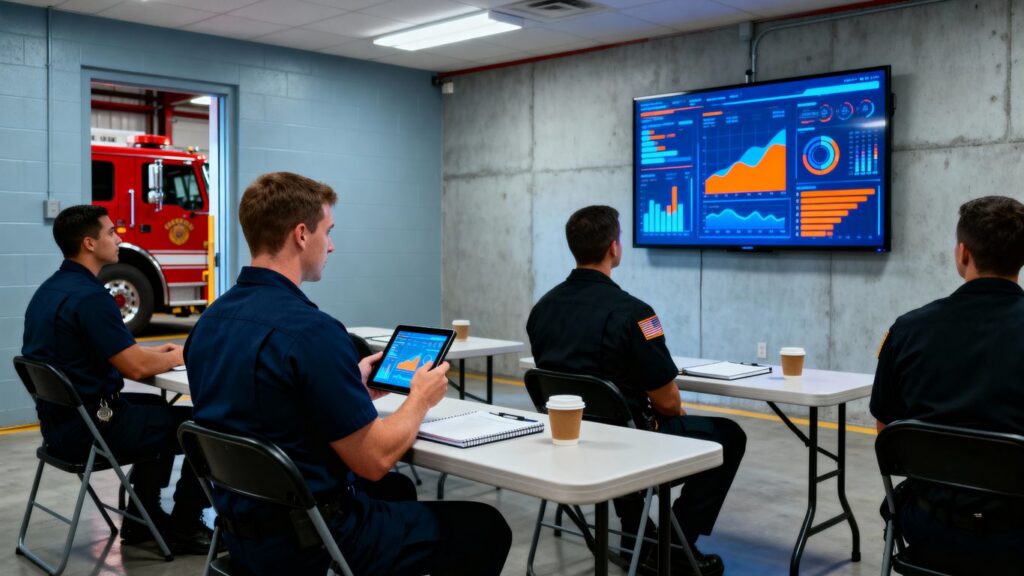
The move from NFIRS to NERIS data reporting is a big deal for fire departments. It’s not just a software update; it’s a whole new way of handling information. This change, happening by January 2026, means departments need to get ready now. We’re talking about better data, quicker insights, and making sure everything works together. Getting this right can help departments with everything from daily operations to getting grants. Let’s look at how to avoid some common slip-ups.
Key Takeaways
- Verify your Records Management System (RMS) vendor is NERIS V1 compatible to avoid issues before the January 2026 deadline.
- Understand that NERIS offers real-time data analysis and better system connections, unlike the older NFIRS.
- Prepare for the transition by checking current reporting methods and setting internal goals and timelines.
- Train staff thoroughly on the new NERIS system, using practice scenarios and ongoing support.
- Use NERIS data to improve how your department operates, shares information with others, and applies for funding.
Understanding the NERIS Data Reporting Transition
The fire service is undergoing a pretty big change, moving from the old National Fire Incident Reporting System (NFIRS) to the new National Emergency Response Information System, or NERIS. This isn’t just a minor software update; it’s a whole new way of looking at how we collect and use data. Think of it as going from a flip phone to a smartphone – it does a lot more, and it does it faster.
Key Differences Between NFIRS and NERIS
NFIRS has been around for ages, and while it served its purpose, it’s pretty dated. NERIS, on the other hand, is built for today’s world. It’s cloud-based, which means it’s more accessible and can be updated more easily. Unlike NFIRS, which often had a long lag time before data was usable, NERIS aims for near real-time reporting. This means you can get insights much faster, which is a game-changer for making quick decisions.
Here’s a quick look at some of the main differences:
- Data Scope: NFIRS mostly focused on fire incidents. NERIS is designed for all-hazards reporting, covering everything from EMS calls and hazardous materials incidents to technical rescues and natural disasters.
- Reporting Speed: NFIRS data could take over a year to become available for analysis. NERIS provides data in near real-time, allowing for immediate insights.
- Interoperability: NERIS is built with modern technology, making it easier to share data with other systems like dispatch (CAD) and electronic patient care records (ePCR). This wasn’t really a thing with NFIRS.
- Data Granularity: NERIS allows for more detailed information to be captured, giving a clearer picture of what happened during an incident.
The Significance of the NERIS Reporting Shift
This transition is a pretty big deal for fire departments across the country. The deadline for switching completely to NERIS is January 1, 2026, with a phased rollout happening throughout 2025. Missing this deadline could mean issues with federal grant funding, like the Assistance to Firefighters Grant (AFG) program, which requires participation in the reporting system. Beyond just compliance, NERIS offers a chance to really improve how departments operate. Having access to up-to-date, detailed information can help with everything from planning training to justifying budget requests. It’s about moving from just reporting what happened to understanding why it happened and how to prevent it in the future. You can find more information on the Fire Safety Research Institute website.
NERIS Capabilities Beyond Basic Reporting
NERIS isn’t just about filling out forms. It’s a tool that can actually help departments run better. Because the data is more detailed and available faster, you can start seeing trends you might have missed before. This could mean identifying areas in your community that are at higher risk, or noticing patterns in certain types of calls that suggest a need for different equipment or training. For example, if you see a rise in specific types of medical calls in a certain neighborhood, you can adjust EMS staffing or resources accordingly. This kind of data-driven approach can lead to more efficient resource allocation and better overall community safety. It also makes it easier to share information with other agencies, which is super important when you’re dealing with larger incidents that involve multiple departments or jurisdictions.
Ensuring Vendor Compatibility for NERIS Reporting
So, you’ve heard about NERIS and the big switch from NFIRS. It’s a pretty significant change, and one of the first things you’ll want to tackle is making sure your current software plays nice with the new system. This isn’t just a minor update; it’s about making sure your department can keep reporting data correctly after January 2026. If your vendor isn’t on board, you could be looking at some serious headaches.
This is probably the most important step. You need to confirm that your Records Management System (RMS) vendor has been awarded the official "NERIS V1 Data Exchange Compatible" badge. This badge comes from the Fire Safety Research Institute, and it’s basically their stamp of approval saying their system can talk to NERIS without a hitch. Don’t just take their word for it; check the official list. Waiting until the last minute to do this is a common mistake departments make, and it leaves very little time to switch vendors if needed. It’s better to find out now than a few months before the deadline.
What happens if your system isn’t compatible? Well, it’s not pretty. You’ll face urgent decisions about switching vendors, which means figuring out how to move all your old data over to a new system. This data migration process can be complicated and time-consuming. Plus, you might run into operational disruptions while you’re trying to get everything set up. Think about it: if your reporting system is down or not working right, you can’t submit your data, and that can lead to compliance issues and potentially affect things like grant funding. It’s a domino effect that’s best avoided.
Once you’ve confirmed your vendor is compatible, or if you’re looking to switch to one that is, make sure you understand what kind of support they offer. Good vendors don’t just sell you software; they help you through the whole process. This can include:
- Data Migration Assistance: Help moving your historical incident records from your old system to the new NERIS-compliant one.
- Comprehensive Training Programs: Detailed sessions to get your staff up to speed on the new interfaces and data requirements.
- Ongoing Technical Support: Access to help when you run into issues, especially during the initial rollout period.
Working closely with your vendor can make a huge difference in how smoothly your department adapts to NERIS. They should be able to provide resources and guidance to minimize disruptions and ensure your team is confident using the new system. It’s all about making this transition as painless as possible so you can focus on what matters most: serving your community.
Mastering Data Accuracy in NERIS Reporting
Getting NERIS data right isn’t just about following instructions—if the numbers are wrong, it can impact funding, compliance, and even your department’s reputation. Here’s how you can get ahead of the most common problems and make sure your data holds up.
Validating Against NERIS V1 Rules
NERIS V1 has strict requirements for the kind of data you submit and the format it needs to be in. Unlike old systems, the new platform actually checks your work automatically, helping spot missing fields or incorrect values before your data goes out. Here’s a quick breakdown of how departments usually approach validation:
| Step | Best Practice |
|---|---|
| Run Pre-Submission Checks | Use system tools to flag incomplete or missing data |
| Check Formatting | Verify date and time formats match NERIS specs |
| Review Codes | Match incident types with updated NERIS codes |
| Validate Key Fields | Confirm required fields like times, locations, and units are never blank |
It’s smart to make this a routine, not a once-a-year event. Regular validation helps spot chronic mistakes early—and with a RMS platform that integrates validation automatically, most of these checks can happen before you ever submit a report.
Reconciling Cross-System Data Discrepancies
NERIS relies on pulling info from multiple sources, like Computer-Aided Dispatch (CAD) records, electronic patient care reports, and your RMS. Unfortunately, these sources don’t always line up. It’s pretty common to find:
- Incident times that don’t match between CAD and RMS
- Different locations listed for the same call
- EMS records that don’t sync up with main incident reports
To fix these, most departments set up a regular reconciliation process:
- Each week, compare CAD and RMS incident lists to ensure calls aren’t missing or duplicated.
- Use cross-check reports to spot differences in times, units dispatched, or incident classifications.
- When there’s a problem, flag it for review before submission—never just hope the auditor won’t find it.
Solving these mismatches early ensures the data you submit can be trusted later.
Addressing Common Data Errors in NERIS Submissions
Even with built-in validation, there are a handful of mistakes that show up all the time. Here’s a quick list of the usual suspects:
- Incomplete incident reports: Crews close calls before finishing documentation.
- Wrong or outdated incident codes: Using NFIRS codes or skipping new NERIS-only data elements.
- Mismatched patient data: EMS runs where number of patients in ePCR doesn’t match incident details.
- Unrealistic timestamps: Arrival before dispatch, or units on scene for impossible lengths of time.
Steps to reduce these errors:
- Emphasize real-time reporting whenever possible—crews complete entries on mobile devices while the details are fresh.
- Use automated field checks that require all essential data before submission.
- Set up a supervisor review before reports are finalized for NERIS export.
Departments that catch and fix these issues up front avoid headaches during audits and prevent bigger issues with funding or compliance down the road. Other agencies have found that the best way to get this right is working with platforms designed for NERIS compatibility and error checking from the start—saving time and frustration for everyone involved.
Preparing Your Department for NERIS Implementation
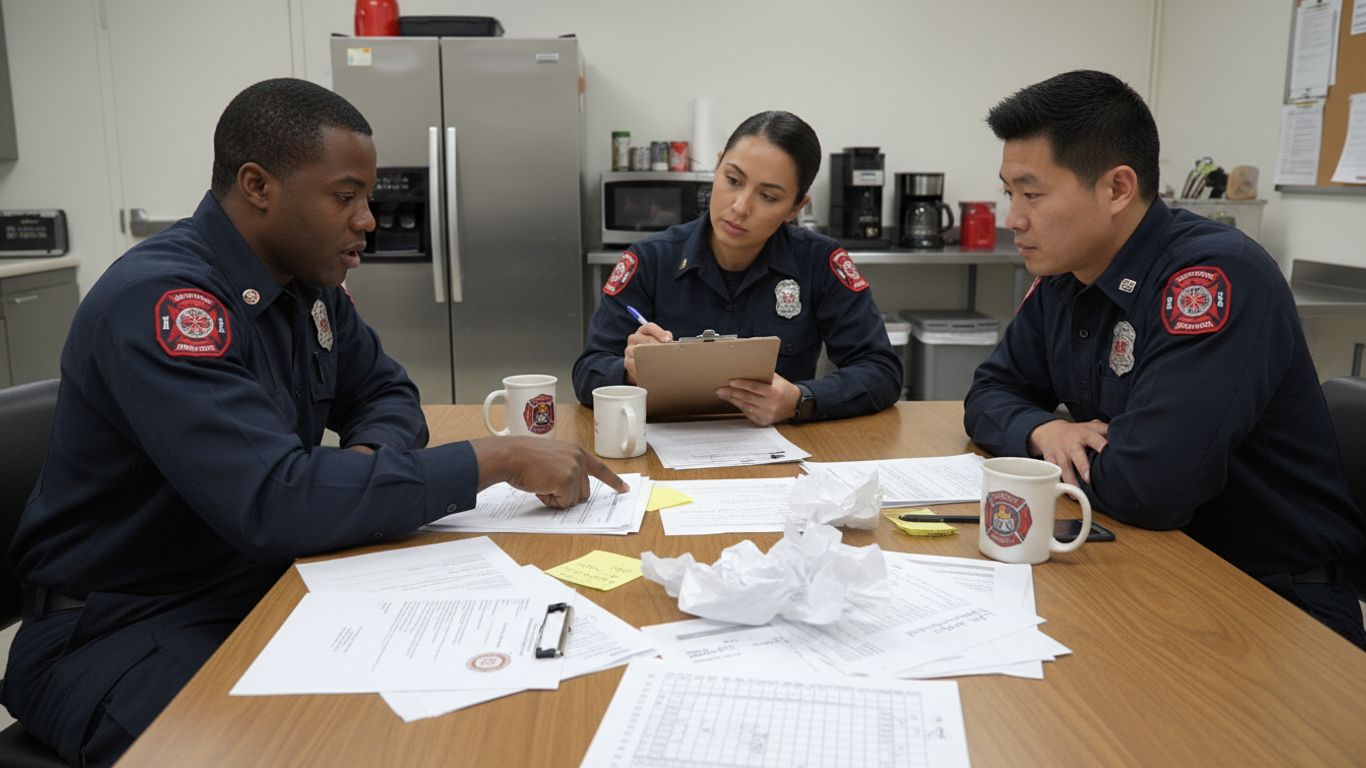
Getting ready for the switch to NERIS isn’t just about flipping a switch; it’s a process that needs careful thought and planning. Think of it like getting ready for a big inspection – you wouldn’t just show up without checking everything first, right? The same goes for this reporting system change. It’s a big deal, and doing it right from the start saves a lot of headaches down the road.
Assessing Current Reporting Practices
Before you can even think about implementing NERIS, you need to take a good, hard look at how your department handles reporting right now. What works? What doesn’t? Where are the weak spots? This isn’t about pointing fingers; it’s about understanding your starting point. You’ll want to map out your current incident reporting workflows, from the moment a call comes in to the final submission of a report. Pay attention to how data is collected, who enters it, how it’s reviewed, and what systems you’re using. Are there a lot of manual steps? Are there places where information gets lost or duplicated? Identifying these areas now will show you exactly where NERIS can help and what needs to change to make it work for your department. It’s also a good time to see if your current records management system is up to snuff. You don’t want to find out your software isn’t compatible when the deadline is looming. Verifying your vendor’s NERIS V1 Data Exchange Compatibility status early is key.
Establishing Internal Milestones and Timelines
Once you know where you stand, you need a roadmap. Setting clear milestones and a realistic timeline is super important. The official deadline is January 2026, but you absolutely do not want to be scrambling at the last minute. Break down the transition into smaller, manageable steps. Think about phases: initial assessment, vendor confirmation, system configuration, data migration, and training. Assign responsibilities for each step. For example, you might set a goal to have your vendor compatibility confirmed by the end of the first quarter, have the system configured by mid-year, and complete initial staff training before the fall. This phased approach helps you track progress, identify potential roadblocks early, and make adjustments as needed. It also keeps everyone on the same page and reduces the overall stress of the transition.
Designating and Training NERIS Administrators
Someone needs to be in charge, right? For NERIS, it’s vital to designate specific individuals to be your go-to people for the system. These aren’t just regular users; they’ll be your NERIS administrators. They’ll need a deeper understanding of the system, its configuration, and how to troubleshoot common issues. It’s a good idea to have at least one primary administrator and a backup. These folks will be responsible for overseeing the implementation, managing user access, and acting as the main point of contact for your software vendor. They’ll also be instrumental in developing and delivering training to the rest of the department. Think about the skills needed: attention to detail, problem-solving abilities, and good communication. Investing in their training upfront will pay dividends throughout the entire NERIS reporting process.
Training Personnel for Effective NERIS Data Reporting
Getting your team up to speed with NERIS is a big part of making sure your department’s data is solid. It’s not just about knowing how to click buttons; it’s about understanding why the data matters and how to get it right the first time. Think of it like learning a new language – you need the basics, then you practice, and eventually, you can have a real conversation.
Developing a Layered Training Approach
We can’t just throw everyone into a single training session and expect magic. People learn differently, and their roles mean they need different levels of detail. So, a good plan breaks training down into manageable parts. It starts with the folks in charge and then moves to the people doing the day-to-day reporting.
- Leadership Briefings: Start with command staff. They need to grasp the big picture – why NERIS is important, what the department’s goals are with the new system, and their role in making it happen. This isn’t about data entry; it’s about strategy and support. Understanding the benefits of NERIS helps them champion the change.
- Core Reporting Staff Workshops: This is where the hands-on work happens. For the firefighters and EMTs who will be filling out the reports, these sessions need to cover the actual software. We’re talking about navigating the new forms, understanding the specific fields that are different from NFIRS, and how to use any mobile tools they’ll have in the field. Practice is key here.
- Administrator Training: The people who will manage the system need a deeper dive. They’ll be responsible for user accounts, system settings, and maybe even running reports. This training needs to be more technical and focused on the administrative side of NERIS.
Utilizing Scenario-Based Exercises
Reading a manual or watching a video is one thing, but actually doing it is another. That’s where scenario-based training comes in. It’s like a fire drill for data reporting.
- Simulated Incidents: Create realistic scenarios that mimic actual calls. For example, a structure fire with a medical assist, or a HazMat incident. Have the trainees walk through the entire reporting process for that scenario, from initial dispatch information to final report submission.
- Error Identification and Correction: During these exercises, deliberately introduce common errors or missing information. This teaches personnel how to spot mistakes, understand why they’re mistakes according to NERIS rules, and how to fix them. It’s much better to make these mistakes in a training environment than on a live report.
- Cross-System Practice: If your department uses integrated systems like CAD or ePCR, include those in the scenarios. Trainees should see how data flows between systems and practice reconciling any discrepancies that might pop up, just like they would in a real situation.
Providing Ongoing Refresher Courses and Resources
Training isn’t a one-and-done deal. Systems change, people forget things, and new staff come on board. Keeping everyone sharp requires continuous effort.
- Regular Updates: As NERIS evolves or your department refines its processes, offer short, focused update sessions. These could cover new features, changes in reporting requirements, or common issues that have recently surfaced.
- Accessible Resources: Create a central place where staff can find quick guides, FAQs, and video tutorials. Think of a digital binder or an internal wiki. This allows personnel to look up information when they need it, without having to track down a trainer.
- Feedback Loop: Encourage staff to report any difficulties or suggest improvements to the training or the reporting process itself. This feedback is invaluable for refining future training sessions and ensuring the system works as smoothly as possible for everyone involved.
Leveraging NERIS for Enhanced Operational Insights

The shift to NERIS isn’t just about meeting new reporting rules; it’s a chance to really see what your department is doing and how you can do it better. Think of it like upgrading from an old flip phone to a smartphone – suddenly, you have access to a whole world of information and tools that can make your job easier and more effective. NERIS gives you the ability to look at your operations in ways that just weren’t possible with the old system.
Utilizing Advanced Analytics and Dashboards
NERIS opens the door to powerful analytics. Instead of just looking at past reports that might be months old, you can get near real-time information. This means fire chiefs and EMS directors can see what’s happening right now. Are resources being used efficiently? Where are the most frequent calls coming from? What types of incidents are increasing in your area? Having this kind of data readily available helps you make smarter decisions about where to put your resources, what kind of training your crews need most, and how to plan for the future. You can create custom dashboards that show the key numbers that matter most to your department, making it easier to spot trends and understand performance at a glance.
Improving Interagency Coordination Through Data Sharing
One of the big advantages of NERIS is how it standardizes data. This makes it much easier for different agencies to share information. If your department works with neighboring towns, county services, or state agencies, having a common data language is a game-changer. Mutual aid requests can be handled more smoothly, regional response plans can be better coordinated, and managing large-scale incidents becomes less complicated when everyone is working from the same, accurate information. This improved communication can lead to faster, more effective responses when seconds count.
Strengthening Grant Applications with Data-Driven Justification
When you need to apply for grants or justify your budget to local officials, having solid data makes your case much stronger. NERIS provides the detailed information needed to show exactly why your department needs certain equipment, staffing, or training. Instead of just saying you have a lot of fires, you can show data on specific risks in your community, how quickly your crews respond, and how effectively resources are deployed. This kind of evidence-based justification is far more persuasive than general statements and can significantly improve your chances of securing the funding your department needs to serve the community better.
Discover how NERIS can help you understand your operations better. Get clear insights to make smarter decisions. Want to see how it works? Visit our website today to learn more!
Moving Forward with NERIS
So, we’ve talked about a lot of the potential pitfalls when it comes to reporting with NERIS. It’s easy to get bogged down in the details, but the main takeaway is pretty simple: don’t wait. Verifying your vendor’s compatibility now, getting your team trained, and understanding the new system are the big steps. It might seem like a lot, but getting ahead of it means smoother operations and fewer headaches down the road. Think of it as getting your house in order before the big inspection – it just makes life easier for everyone involved.
Frequently Asked Questions
What is NERIS and why is it replacing NFIRS?
NERIS stands for the National Emergency Response Information System. It’s a new, modern way for fire departments to report information about emergencies. It’s replacing the old system, NFIRS, because NERIS can handle information much faster and is easier to connect with other important technology. Think of it like upgrading from an old flip phone to a smartphone – it does more, does it better, and keeps up with today’s needs.
When does my department have to start using NERIS?
The deadline for all fire departments to switch completely to NERIS reporting is January 1, 2026. Many states are already starting to use it throughout 2025, so it’s important to get ready sooner rather than later to avoid any last-minute problems.
What happens if my current software system isn’t compatible with NERIS?
If your current system isn’t compatible, it means it won’t be able to send information correctly to NERIS after the deadline. This could cause major issues with reporting and compliance. You’ll need to look into switching to a system that has the official ‘NERIS V1 Data Exchange Compatible’ badge. It’s best to check with your software provider right away to see if they are compatible.
How does NERIS help my department beyond just reporting?
NERIS is more than just a way to report incidents. It provides powerful tools that can help you understand trends in your area, see how your resources are being used, and even predict future needs. This kind of information can help you make smarter decisions, improve how you respond to emergencies, and even make your applications for grants stronger.
What are the biggest mistakes departments make when switching to NERIS?
Some common mistakes include waiting too long to check if their software is compatible with NERIS, not training staff properly on the new system, and not planning ahead for how to move old data. It’s also a mistake to assume the new system is just a minor update; it’s a big change that needs careful planning and preparation.
How can training help my department with NERIS reporting?
Good training is super important! It helps everyone understand how to use the new system correctly and why accuracy matters. By teaching staff how to enter data properly and use the system’s features, your department can avoid common errors, ensure accurate reports, and get the most out of the new technology. Offering different types of training, like hands-on sessions and practice scenarios, makes sure everyone feels comfortable and confident.