A Fire Department Guide to the National Emergency Response Information System (NERIS) Module

For Fire Chiefs and Incident Commanders, managing accurate and comprehensive incident data is paramount for operational analysis, funding, and public safety. The transition from legacy systems like NFIRS can be challenging, often involving manual processes and disjointed reporting. Modern fire department software, designed as a unified Records Management System (RMS), transforms this by providing an integrated, automated, and data-driven platform for incident reporting, with a strong focus on the National Emergency Response Information System (NERIS).

Modernizing Incident Reporting: Transitioning to NERIS

Why Choose Our NERIS Module?

As a fire chief, your mission is to lead a team that’s always compliant, prepared, and ready to protect lives. Manual spreadsheets, outdated software, or disconnected systems for incident data can turn this critical task into an administrative nightmare, introducing errors, risking non-compliance, and pulling focus from strategic leadership. Worse, they can undermine your department’s operational readiness, leaving you exposed during audits or emergencies.


The National Emergency Response Information System (NERIS) is a modern, cloud-based platform designed to replace the legacy National Fire Incident Reporting System (NFIRS). It provides comprehensive emergency response data collection and analysis tools for fire departments and emergency services, offering a streamlined and user-friendly approach to incident documentation. NERIS was developed by the U.S. Fire Administration (USFA) in collaboration with the Department of Homeland Security’s Science and Technology team and the Fire Safety Research Institute (FSRI) and is expected to be fully implemented nationally by January 2026.

How It Works: A Smarter Approach to Incident Data

The EPR FireWorks NERIS Module transforms how fire chiefs manage incident reporting by replacing outdated, error-prone methods with a powerful, cloud-based platform. Designed specifically for the unique demands of fire departments, it automates complex processes, organizes incident data, and provides real-time insights to ensure compliance and readiness.

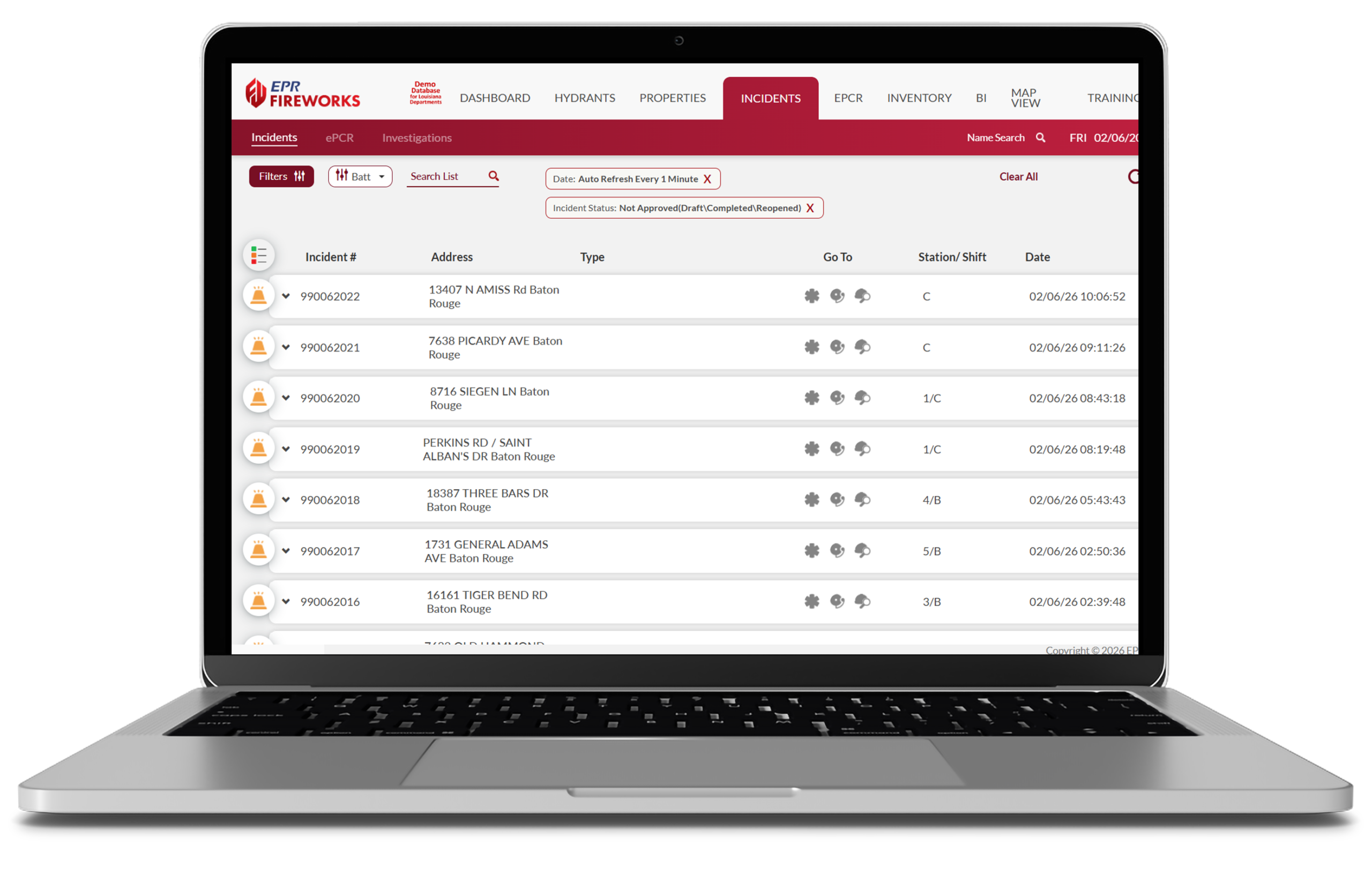
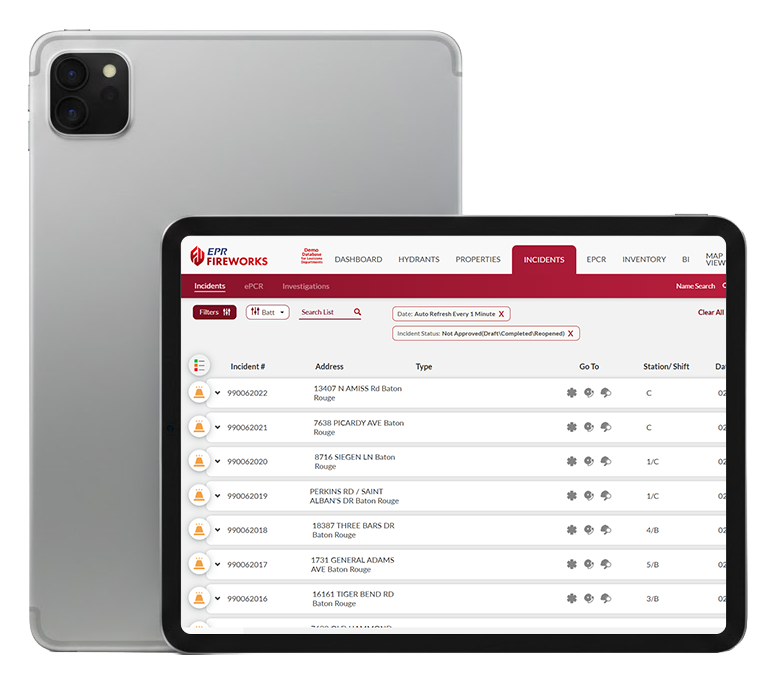
EPR FireWorks offers a seamless migration process from other systems, ensuring a smooth implementation and tailored training for quick adaptation. When transitioning to NERIS within EPR FireWorks, departments can choose a “testing mode” to familiarize crews with the new system, allowing personnel to switch between NFIRS and NERIS reporting, or opt for a direct full transition to NERIS-only. Importantly, all historical data from NFIRS remains searchable and accessible within EPR FireWorks, ensuring no data loss during the transition. NERIS incidents can be automatically populated through the Computer-Aided Dispatch (CAD) system or created manually from the NERIS incident list.

What You Get: Features Built for Fire Chiefs

Everything You Need to Lead with Confidence

The EPR FireWorks NERIS Module, a premier fire department software, is engineered specifically for fire chiefs who demand precision, compliance, and efficiency in managing their department’s incident data. Built by a team with deep fire service expertise, EPR FireWorks delivers a tailored suite of tools to streamline incident documentation and empower your team—all within a secure, cloud-based platform. Our software is highly customizable, designed to adapt to your unique needs and operations.

How It Works: A Smarter Approach to Incident Data

Key Features

The NERIS module integrates into a unified Records Management System (RMS), providing a single platform for all incident documentation.

Departments can build and manage incident reporting precisely to their unique requirements. This includes configuring incident classification parameters and creating custom fields to capture department-specific data in the incident report. Dropdown menus within EPR FireWorks are customizable.

The system provides granular control over user permissions, allowing administrators to define precisely who can see and do what within the NERIS module. This includes setting permissions for creating incidents, modifying reports, and managing NERIS settings. For example, a basic firefighter user profile might have access to complete incident reports, but not approve them.

  • The EPR FireWorks NERIS module captures extensive information across various tabs:
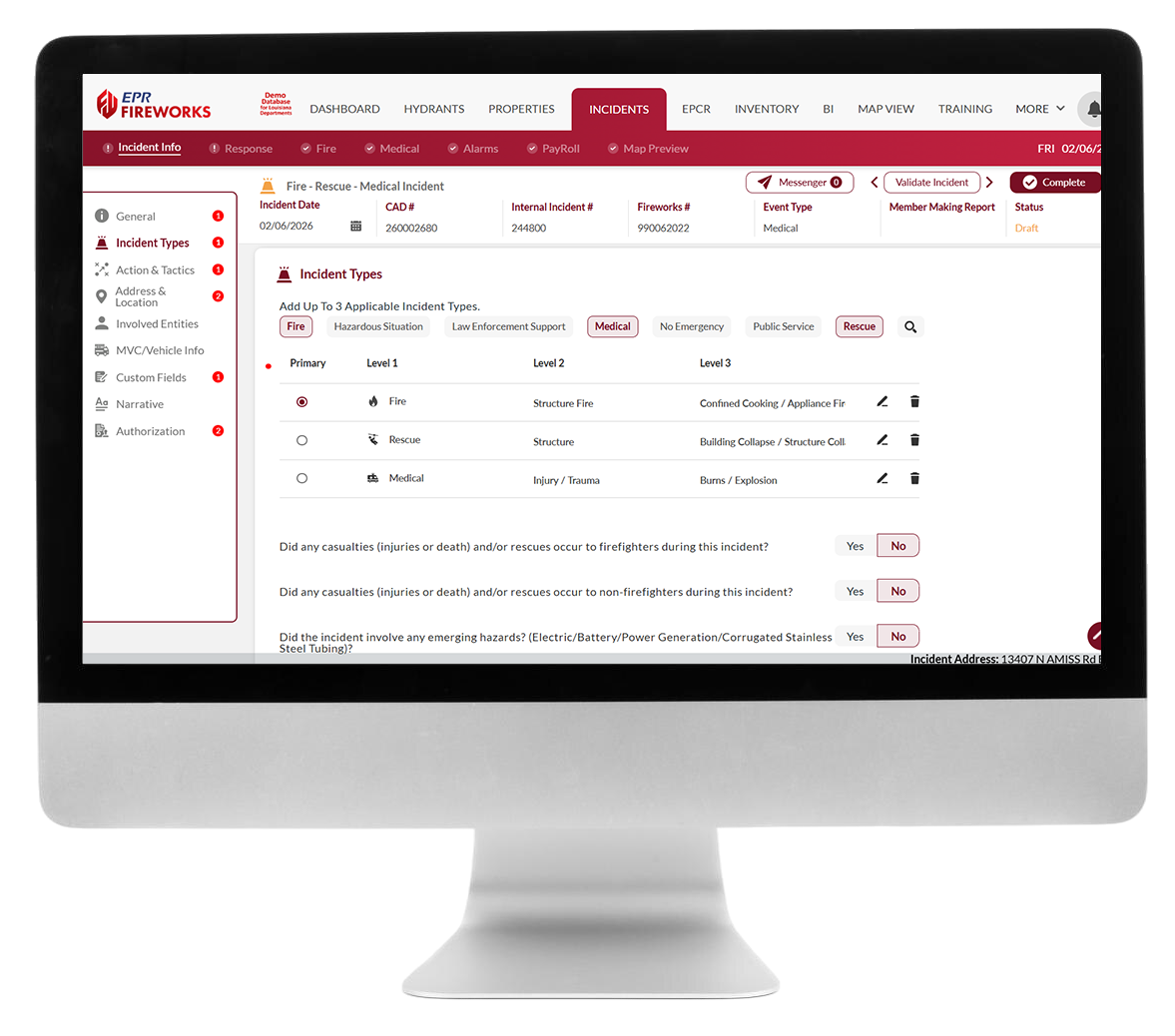
    • Incident Info: Records all basic incident details, including up to three incident types from seven incident categories. It also captures emerging hazards (e.g., battery/EV fires), and incident modifiers (e.g., Disaster declarations).
    • Actions & Tactics: Records all operational activities performed throughout the incident, serving as an incident checklist, providing critical data for analyzing response effectiveness and resource utilization. You can add as many actions as needed.
    • Response: Documents incident times (including new fire tactics times like “command established,” “water on fire,” “fire under control”), apparatus info , and REHAB status for personnel.
    • Fire Module: Appears for fire-related incidents, capturing detailed information on fire characteristics (e.g., Structure Fire, Outside Fire), suppression appliances and tactics, and financial impact via pre- and post-incident property value and loss estimates. 
    • Medical: For EMS-related incidents, this tab captures essential patient care and transport information, integrating seamlessly with the EPR FireWorks ePCR module. It simplifies medical reporting to four key data points.
    • HazMat (HazSit): This specialized tab appears for hazardous materials incidents, allowing detailed documentation of chemical types, DOT classifications, release information, hazmat disposition, and evacuation details (number of businesses/occupants evacuated).
    • Alarms: This section documents the presence and status of various alarms and suppression systems at the incident location including operational status and failure reasons.
    • Casualties & Rescues: This tab logs detailed information about both firefighter and civilian casualties and rescues, including Mayday calls, rescue types, conditions impacting rescue, and demographic information.
    • Payroll: The Payroll tab logs all personnel involved in an incident, capturing their response details and compensation metrics based on your defined pay schedule and rates. This includes pay-per-call tracking, off-duty response hours for overtime calculations, and accurate monitoring of volunteer hours and/or points for reporting and recognition. 
    • Map Preview: The Map Preview tab displays the incident location on your Google/ESRI map and includes the Response Mode for on-scene action.

EPR FireWorks allows for the implementation of custom validation rules to ensure data quality and reporting compliance for NERIS fields. Incident reports can be routed through a multi-tiered approval workflow and quality control process to ensure that data is accurate and complete before final approval.

The system allows for the configuration of mutual aid agencies by adding their details and NERIS Entity IDs. Agencies without a NERIS Entity ID will still appear in EPR FireWorks reports but will be excluded from national NERIS analytics.

See the Impact: Transform Your Department

Real Results for Fire Chiefs

The EPR FireWorks NERIS Module, a premier fire department software, empowers fire chiefs to take full control of their department’s incident reporting, eliminating the chaos of manual processes and ensuring operational excellence. Say goodbye to compliance headaches, wasted hours on paperwork, and the stress of audit risks. EPR FireWorks delivers a seamless, automated platform that ensures every incident is documented, analyzed, and aligned with national standards. By streamlining incident management, EPR FireWorks frees you to focus on leading a responsive, compliant, and high-performing team ready for any challenge. The system supports an “All-Hazards Scope” to document all emergency types, extending beyond NFIRS’ limitations.

Ready to Revolutionize Your Incident Management?

Take the Next Step with FireWorks

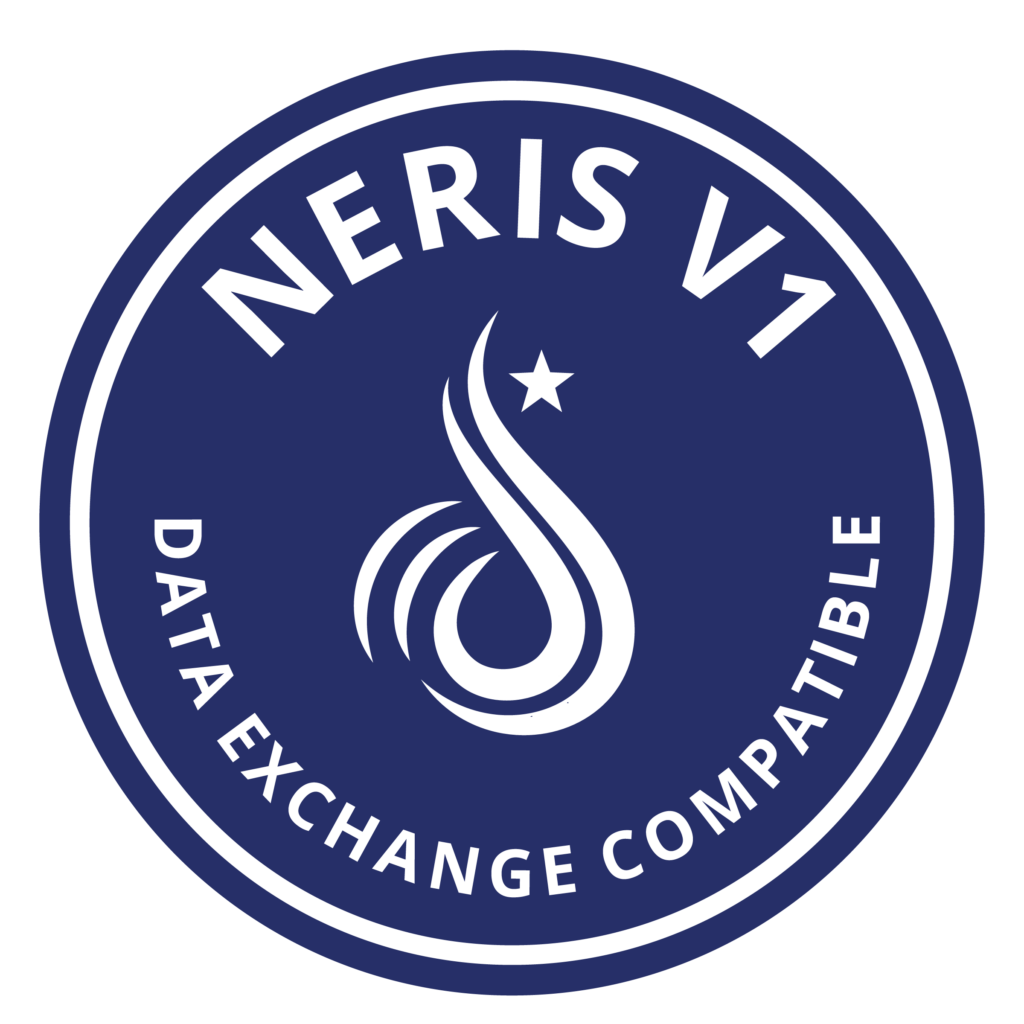
Equip your department with the ultimate fire department records management software for incident documentation and management. Streamline data collection, enhance readiness, and lead with confidence. EPR FireWorks is officially NERIS V1 Compatible, ensuring seamless data exchange with emergency response systems.

EPR FireWorks offers dedicated Fire Service Support with a team experienced in the fire service, ensuring a smooth transition and ongoing assistance. You can access tailored training, an online knowledge base, and responsive customer service to keep your operations running flawlessly.

Contact us today to see how the EPR FireWorks NERIS Module can transform your operations.

NERIS: Frequently Asked Questions

The National Emergency Response Information System (NERIS) is a modern, cloud-based platform developed by the U.S. Fire Administration (USFA) in collaboration with the Department of Homeland Security’s Science and Technology team and the Fire Safety Research Institute (FSRI). It is designed to replace the legacy National Fire Incident Reporting System (NFIRS), which has been in use since the 1970s. NERIS provides comprehensive emergency response data collection and analysis tools for fire departments and emergency services, offering a streamlined and user-friendly approach to incident documentation. It addresses the limitations of NFIRS, which struggled with slow updates and integration with modern technology. The platform began rolling out in fall 2024 and is expected to be fully implemented nationally by January 2026.

EPR FireWorks is officially NERIS V1 Compatible, ensuring seamless data exchange with national emergency response systems. Our integration meets the latest industry technical standards, supporting efficient and compliant operations for fire and EMS agencies. The NERIS module is an integral part of the EPR FireWorks Incidents module, allowing you to manage both NFIRS and NERIS incident data within a single platform.

EPR FireWorks offers several operational advantages for NERIS reporting:

  • Streamlined Documentation: It provides a user-friendly interface for incident documentation.
  • Mobile-Friendly Access: The system is mobile-friendly, enabling real-time data submission from the field.
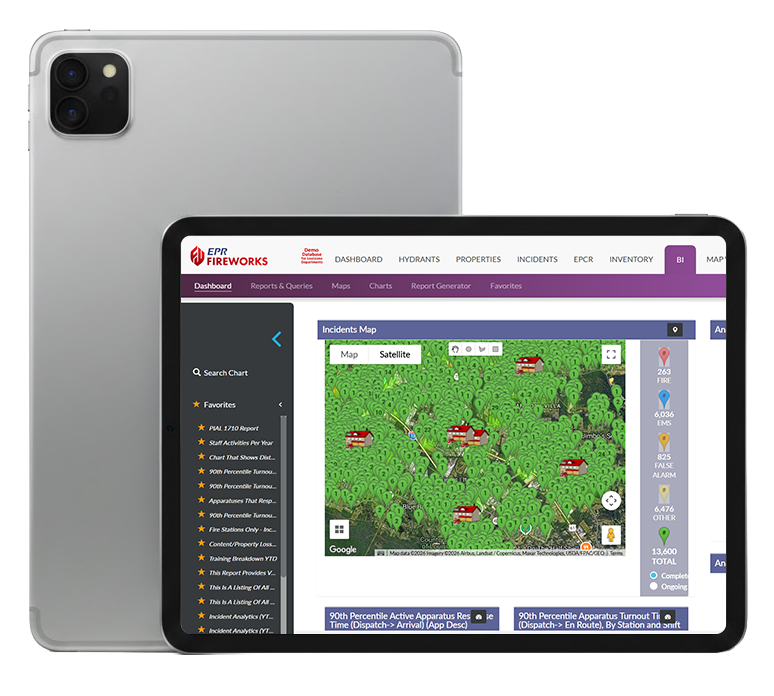
  • Enhanced Data Insights: It offers advanced analytics, custom dashboards, and focuses on community risk reduction, providing valuable insights for decision-makers.
  • Flexible Location Data: Incidents can be recorded without specific addresses using polygon mapping.
  • Comprehensive Integration: EPR FireWorks integrates with dispatch systems, records management tools, and wildland fire data sources. CAD systems can automatically populate NERIS incident lists, reducing manual entry.
  • Reduced Administrative Burden: The system has been specifically developed to alleviate the workload of administrative tasks faced by responders, thereby enabling them to focus more effectively on their primary responsibilities.
  • Multiple Incident Categories: Unlike NFIRS which only allowed one incident type, NERIS through EPR FireWorks allows the selection of up to three applicable incident types.
  • Firefighter-Built Design: The EPR FireWorks software is built by firefighters, guaranteeing that it is extremely adaptable and user-friendly for those in the fire service.

The integration process involves configuration in two distinct environments: the NERIS Platform (FSRI website) and your EPR FireWorks Administrative Back-Office. Key prerequisites include an active FSRI NERIS account with departmental registration, a Client ID provided by EPR FireWorks technical support, and administrative privileges in both systems. Stations and operational units must be registered via the EPR FireWorks API to ensure seamless data synchronization and avoid conflicts. After initial setup, you can configure NERIS permissions for users and customize settings within the EPR FireWorks Back-Office.

Yes, EPR FireWorks can bring in your old NFIRS data. You will have the option to store and view your historical NFIRS reports within the system, ensuring you don’t lose any past data during the transition.

NERIS does not want any personal names submitted in the reports and automatically scrubs names from narratives and other fields upon transmitting data to the national NERIS database. While EPR FireWorks allows you to record names internally for your departmental use (e.g., response personnel or involved entities), these are removed when submitted to NERIS.

EPR FireWorks supports comprehensive NERIS incident reporting across various categories, including:

  • Incident Info: Document general incident details, incident types, actions and tactics, location (including polygon mapping), involved entities, custom fields, and incident narratives.
  • Response: Record incident times, apparatus and crew details, and REHAB status.
  • Incident Documentation Requirements: Specific modules appear based on incident type, such as:
    • Fire: Detailed information on fire characteristics, suppression operations, and estimated property losses.
    • Medical: Essential emergency medical information and patient care details, which can be linked to your ePCR system.
    • HazMat (Hazardous Situation): Chemical types, DOT classifications, release information, and evacuation details for hazardous materials incidents.
    • Emerging Hazards: Information about modern technology hazards like batteries and alternative energy systems involved in incidents.
  • Alarms: Document the presence and performance of fire safety systems (smoke alarms, fire alarms, suppression systems) at incident locations.
  • Payroll: Track payroll for participating crew members, including their response types, hours worked, points earned, and total pay per incident.

Yes, EPR FireWorks allows for extensive customization of the NERIS module. You can:

  • Customize Sidebar Lists: Control which options appear in dropdown menus and sidebars by hiding irrelevant choices based on your department’s operations, such as removing transport-related options if your department doesn’t provide transport.
  • Create Custom Fields: Add department-specific data collection fields to the Incident Info section to capture unique information required by your department’s operations or reporting needs.
  • Custom Validation Rules: You have the option to add custom validation rules to match the NERIS schema. These customizations help streamline data entry and ensure NERIS aligns with your specific operational needs.

 EPR FireWorks provides comprehensive support and training for NERIS. This includes user manuals and release notes within our documentation. We also have a Knowledge Base and Training Center with helpful resources, including guides for getting started with NERIS and understanding the transition from NFIRS. You can test the system and familiarize your personnel with the NERIS interface by creating test or demonstration incidents in a “sandbox” environment. Our team offers professional training and implementation services to ensure a smooth transition.

cookie preferences

Sharing your cookies helps us enhance site functionality and optimize your browsing experience.
Click here to read our Cookie Policy. Manage Settings